> For the complete documentation index, see [llms.txt](https://pancake-crm.gitbook.io/pancake-crm_en/llms.txt). Markdown versions of documentation pages are available by appending `.md` to page URLs; this page is available as [Markdown](https://pancake-crm.gitbook.io/pancake-crm_en/iii.-crm/3.1-cac-tinh-nang-cua-crm/3.1.2-chuc-nang-cap-nhat-nhanh-cac-truong-thong-tin.md).
# 3.1.2 Chức năng cập nhật nhanh các trường thông tin
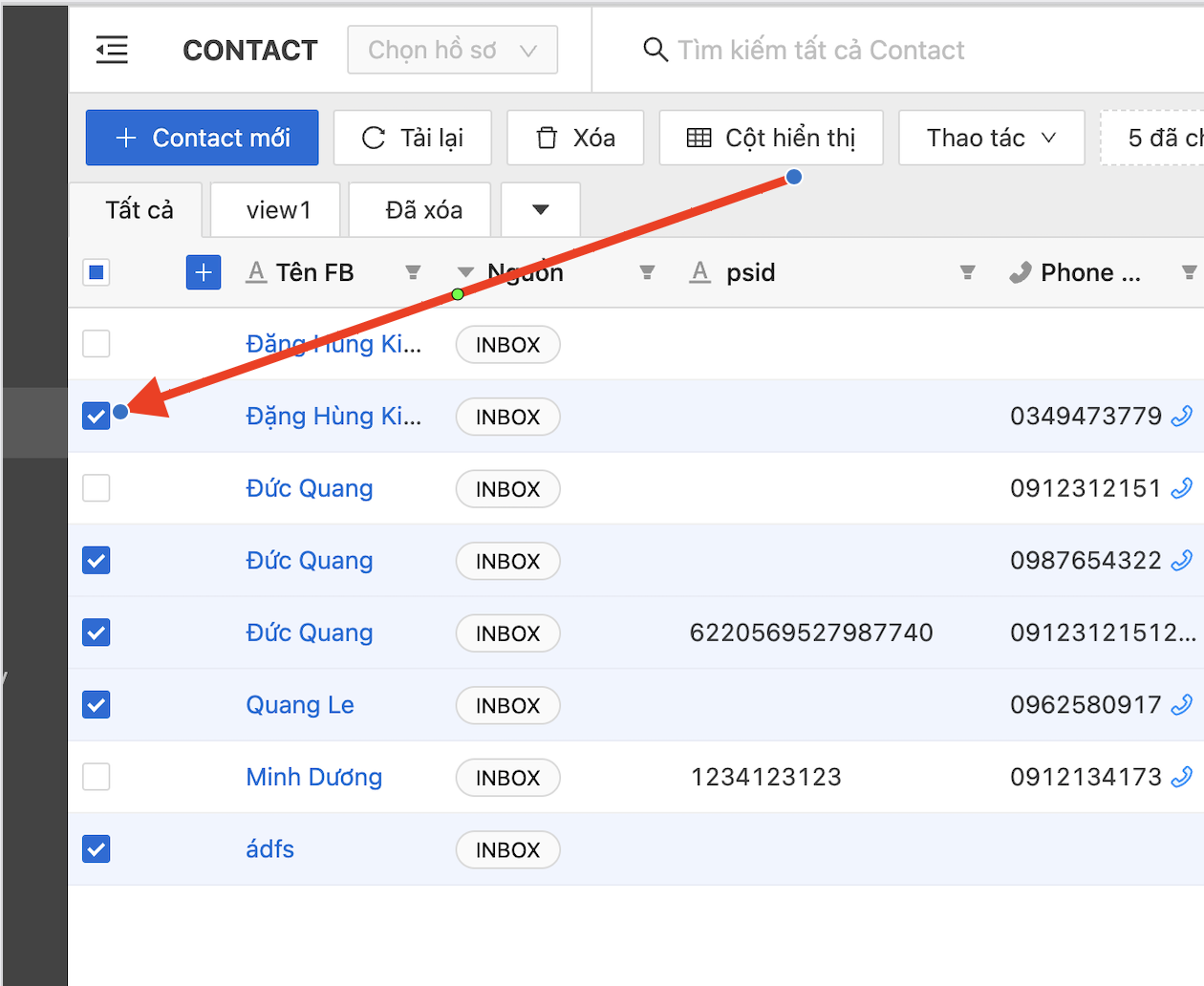
* **Bước 1:** Chọn các liên hệ cần đồng bộ bằng cách tích vào các ô vuông nằm phía bên trái của liên hệ, dữ liệu của bảng
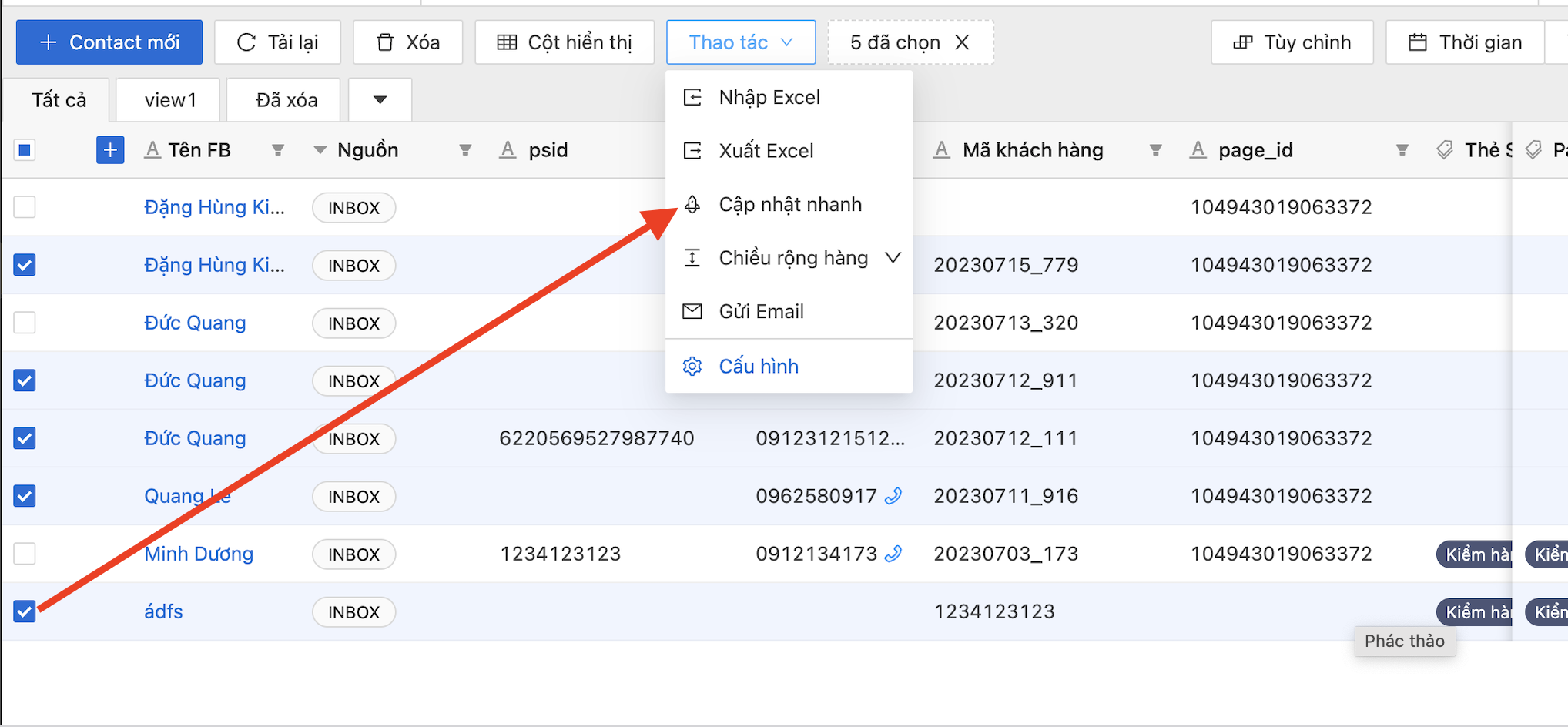
* **Bước 2:** Chọn công cụ "Cập nhật nhanh" nằm phía trên bên trái (có thể nằm ở giữa) của bảng dữ liệu. Nếu màn hình
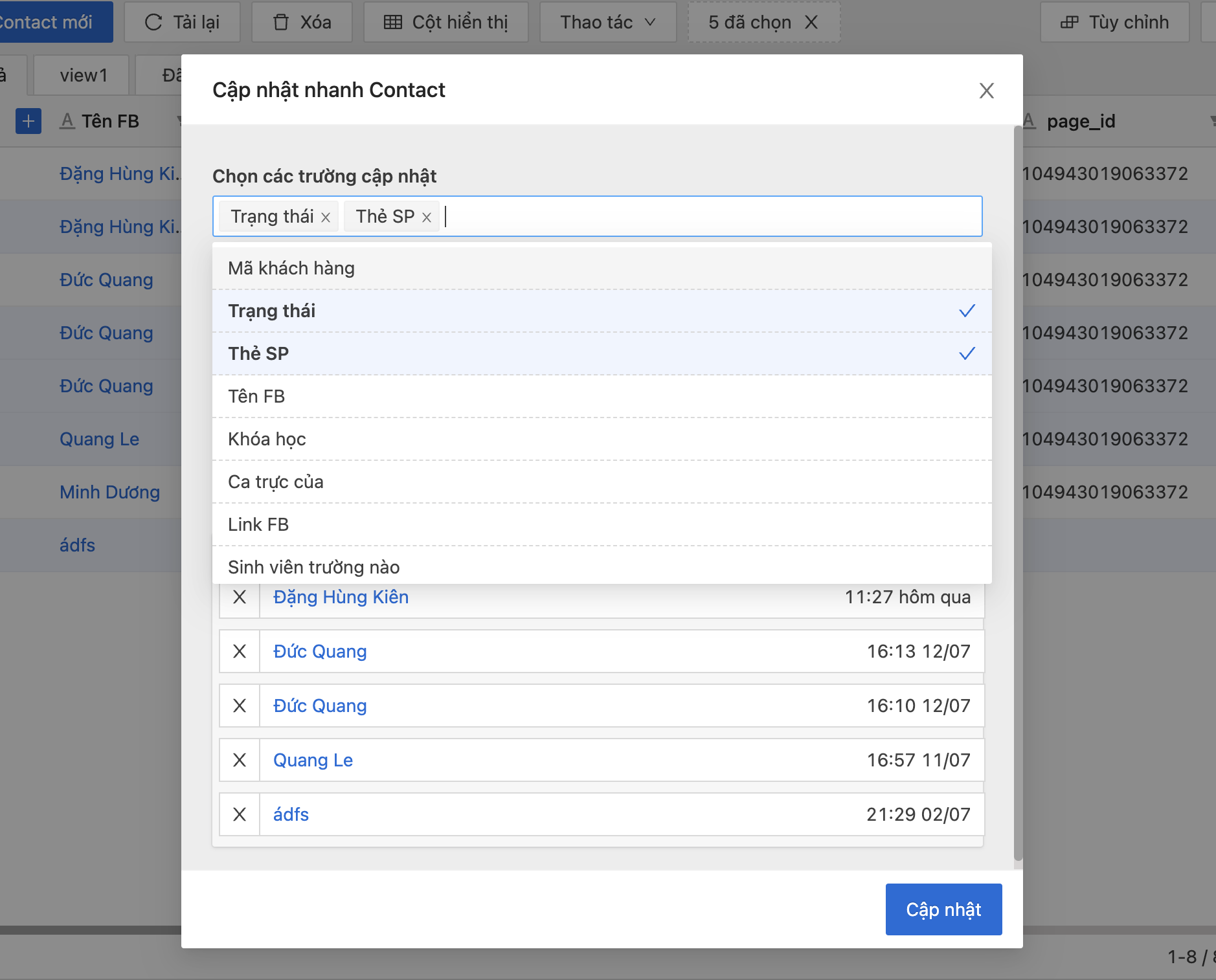
**Bước 3:** Chọn các trường thông tin để cập nhật nhanh, có thể chọn một trường hoặc nhiều trường thông tin để cập nhật nhanh
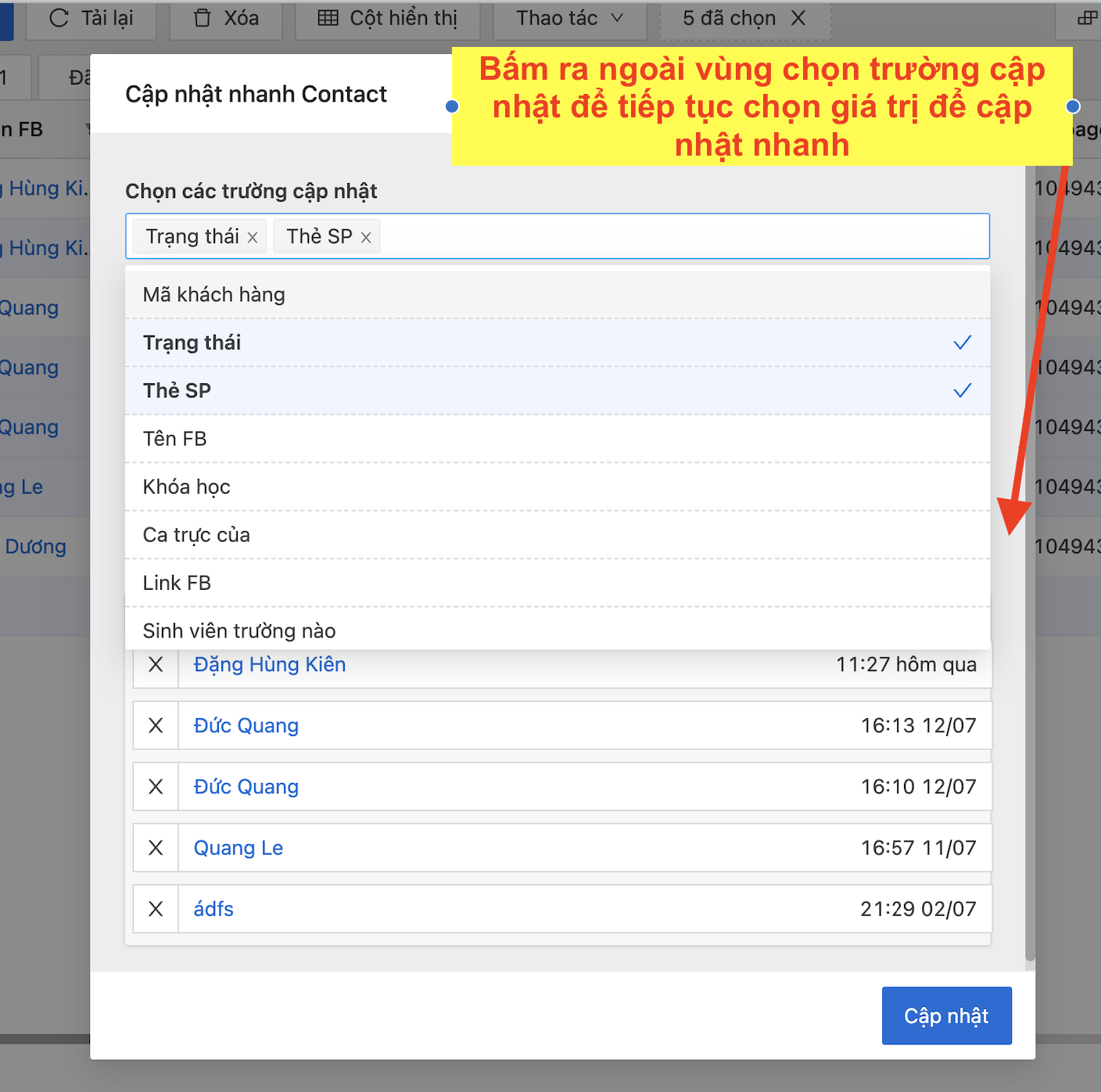
**Bước 4:** Bấm ra phía ngoài của bảng để chọn các giá trị của trường để cập nhật
**Bước 5:** Chọn giá trị của trường để cập nhật nhanh các trường thông tin, sau đó bấm cập nhật để **cập nhật nhanh**